A client disputes what was agreed on last month’s call. You open your meeting assistant, find the transcript, and want to hear the moment itself: the pause, the tone, the exact wording. Whether you can depends on the plan you are paying for, not on whether the meeting was recorded.
That distinction is easy to miss when buying. Every product in this category records. Feature pages lead with transcripts, summaries and action items, and a buyer reasonably assumes the recording behind them can be played back. Read AI, tl;dv and AmyNote answer that question three different ways. Every figure below was read off the vendors’ own pages on 24 September 2026.
Quick Verdict
- tl;dv if you want video replay for free, work on any platform, and can live with free recordings kept for up to three months.
- Read AI if you want meeting analytics and a permanent free plan, and are willing to pay for the Enterprise tier to replay anything.
- AmyNote if you record in-person conversations on an iPhone, want playback that works offline, and do not need video or an enterprise compliance package.
What We Compared
A meeting tool can record a call without letting you replay it. We looked at three questions:
- Can you replay the recording, and on which plan? Not whether audio is captured, but whether you can play it back.
- How long is it kept? Published retention limits, where a vendor publishes one.
- Can you take it with you? Downloading the file, or holding it on your own device.
The three questions compound. A recording you can replay but not download disappears when the retention window closes. A recording you can download but not replay in the product is still usable, as long as you remembered to download it. The only recording that answers a dispute months later is one that is both kept and playable when you need it.
Read AI: Recorded, Replayable From Enterprise
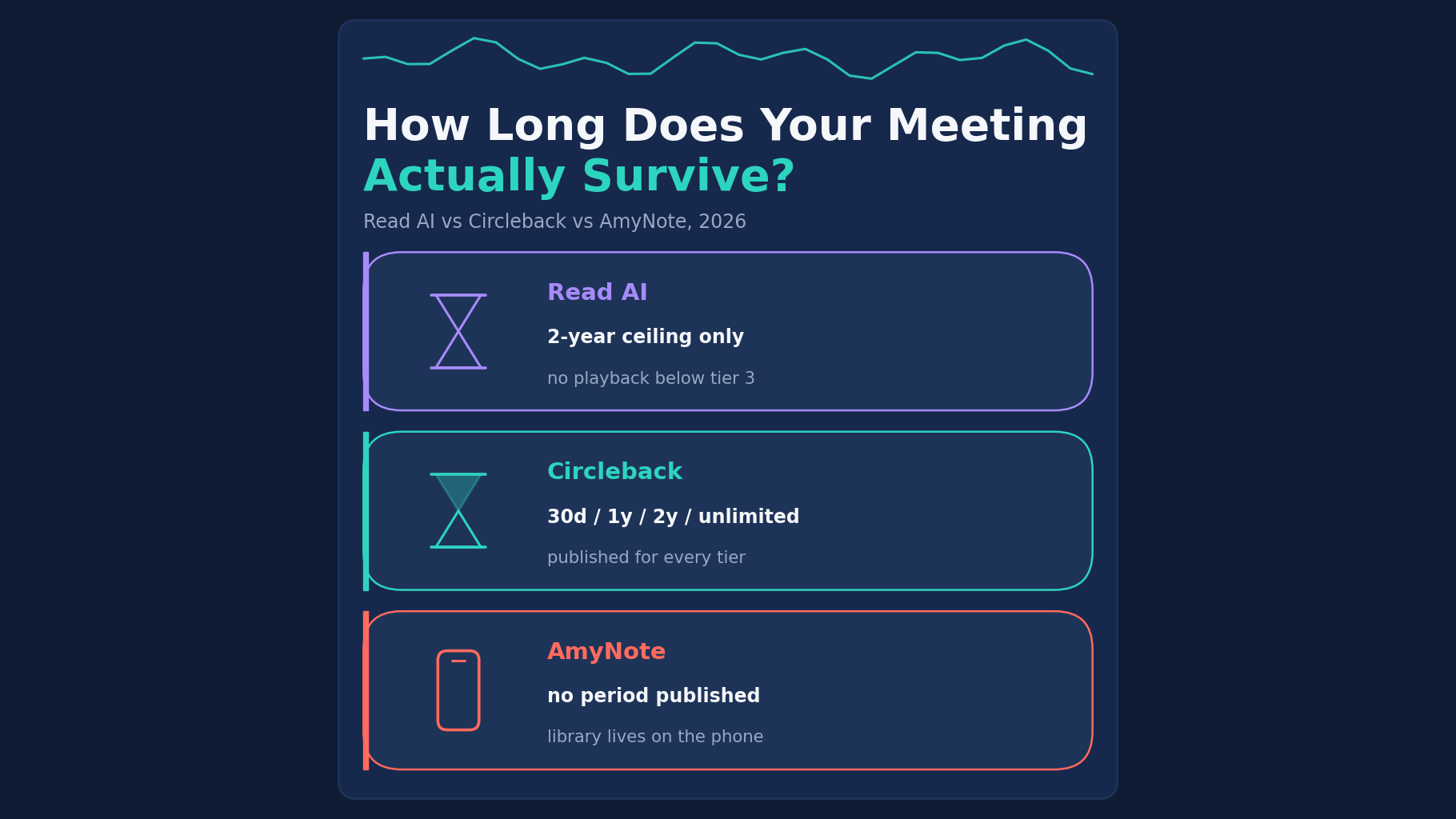
Strengths. Read AI runs on Windows, macOS, iOS, Android and a Chrome extension, joining Zoom, Teams and Meet. Its free plan never expires. Pro costs $15 per user per month billed annually, or $19.75 monthly, and gives unlimited transcripts with meetings up to four hours. It is the only vendor here that states a hard retention limit: audio and video are kept “in no case for longer than 2 years.”
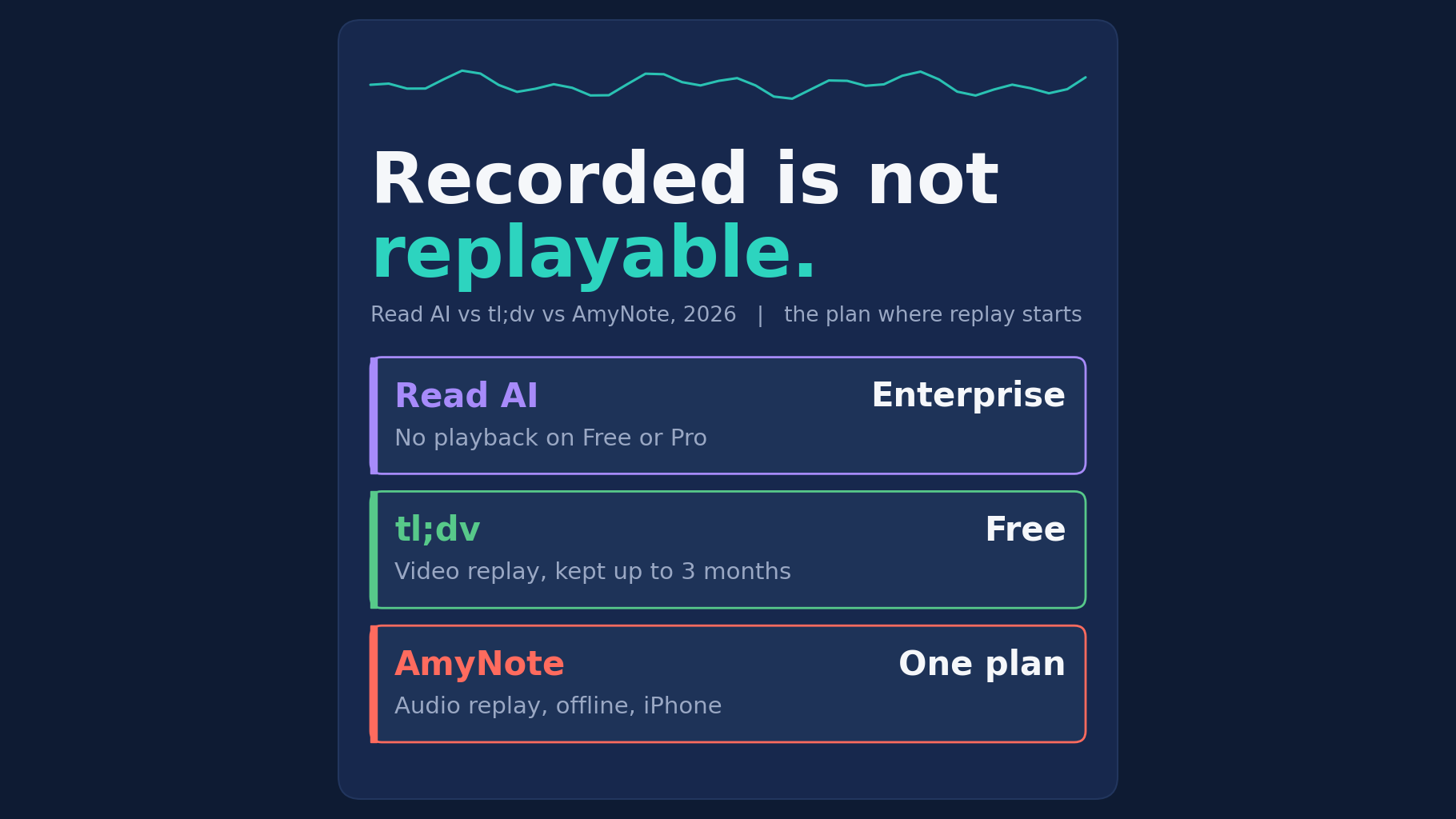
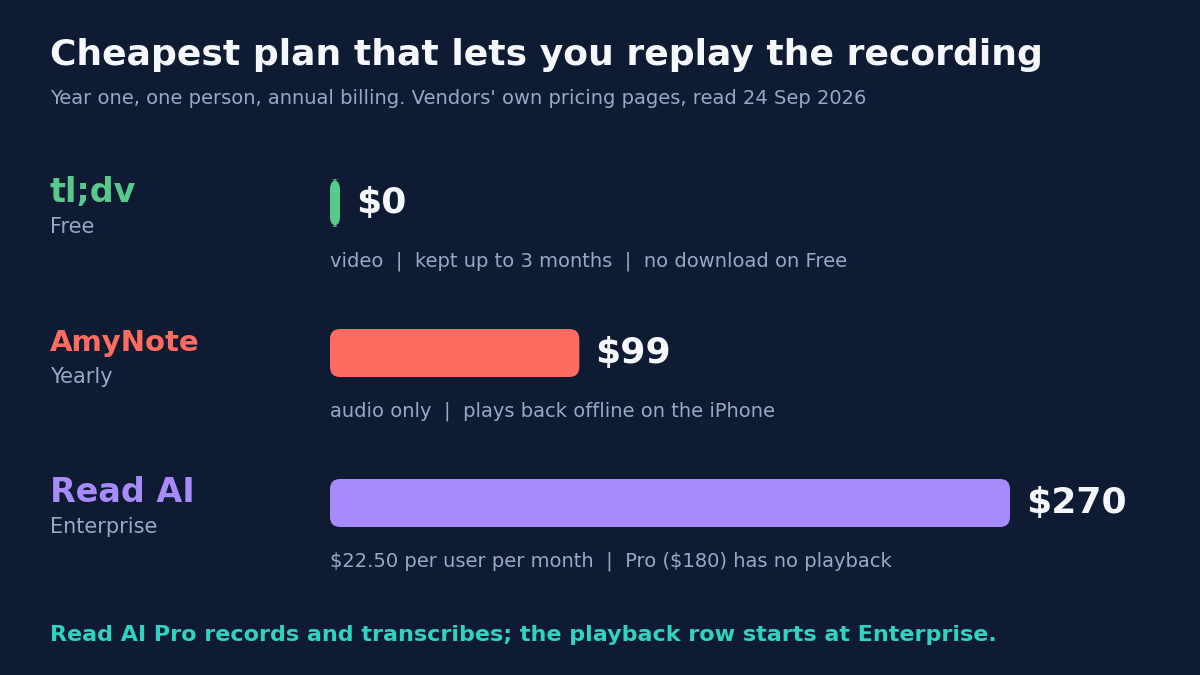
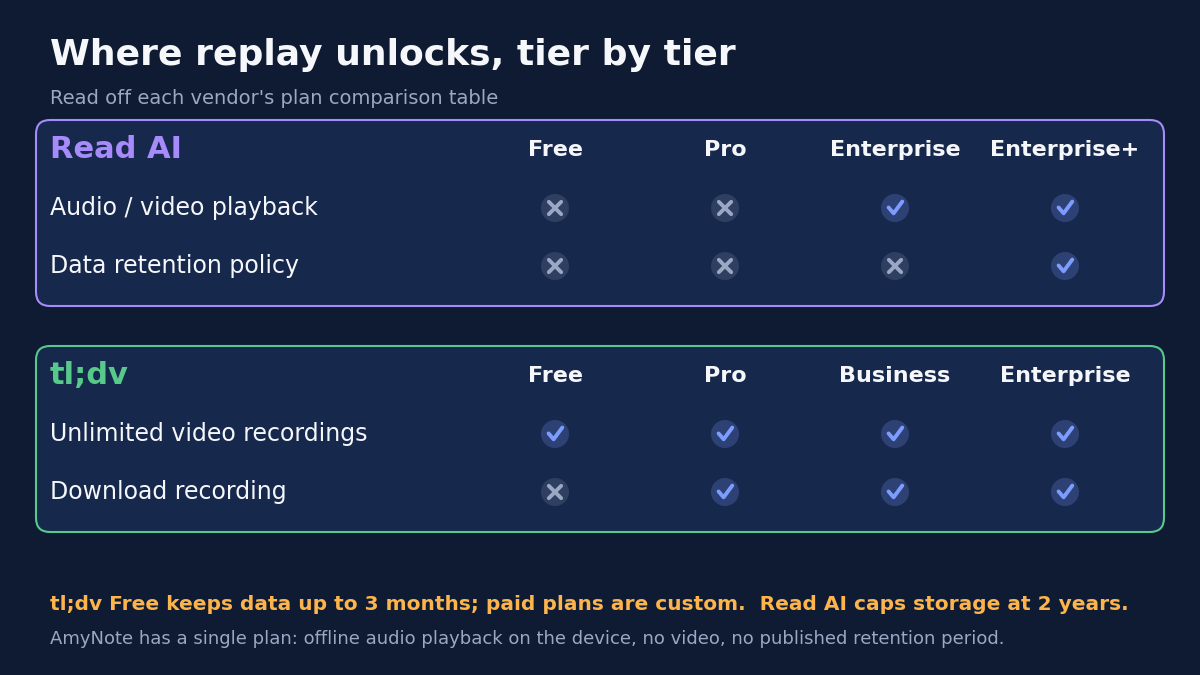
Weaknesses. In Read AI’s plan comparison table, the row “Audio / Video Playback” is marked as not included on Free and Pro. Replay starts on Enterprise, at $22.50 per user per month billed annually or $29.75 monthly. A Pro customer can read every transcript and cannot play back a second of the recording.
The retention control is gated harder still. The “Data Retention Policy” row, along with HIPAA, SSO and SCIM, unlocks only on Enterprise+, which requires five licences.
Read AI also scores the meeting. Its privacy policy says the Read Score “involves analyzing facial and verbal elements of all meeting attendees”, including people who never signed up; EU and UK users are exempt from the facial part only. The same policy lists “using information to train and improve our models within our Services”, on a legitimate-interest basis, while the home page says “no training on your data by default.”
tl;dv: Video Replay on the Free Plan, With a Clock
Strengths. tl;dv is the most generous of the three on replay. Its free plan lists “Unlimited video recordings”, unlimited transcription in 30+ languages, unlimited storage and viewers, and the iOS and Android apps. It also has desktop apps for Mac and Windows, and its home page says “NO BOT REQUIRED”, though Pro still sells a custom bot appearance for calls it joins.
Paid plans are clear: Pro at $18 per seat per month annually or $29 monthly, Business at $29 or $39. tl;dv is a German company, and its privacy policy says it “does not use Customer Content, including meeting recordings, transcripts, notes, files, or other data processed through the Services, to train” AI models. Data is primarily hosted in Germany and Finland, and the pricing page carries GDPR, SOC 2 and EU AI Act badges.
Weaknesses. The free replay comes with a clock. The comparison table sets the free plan’s “Data retention period” at “up to 3 months”, while paid plans are “Custom”. “Download recording” is not included on Free, so a free user cannot take a copy before it expires.
Other free limits: AI notes for up to 10 meetings, 40 web recordings a week and a three-hour cap per recording, which applies on every plan. Multi-language meetings need Pro. The free card promises “10x Ask AI queries” while the table says “up to 5 queries”. SSO and SCIM are Enterprise only.
AmyNote: Offline Audio Replay, iPhone Only
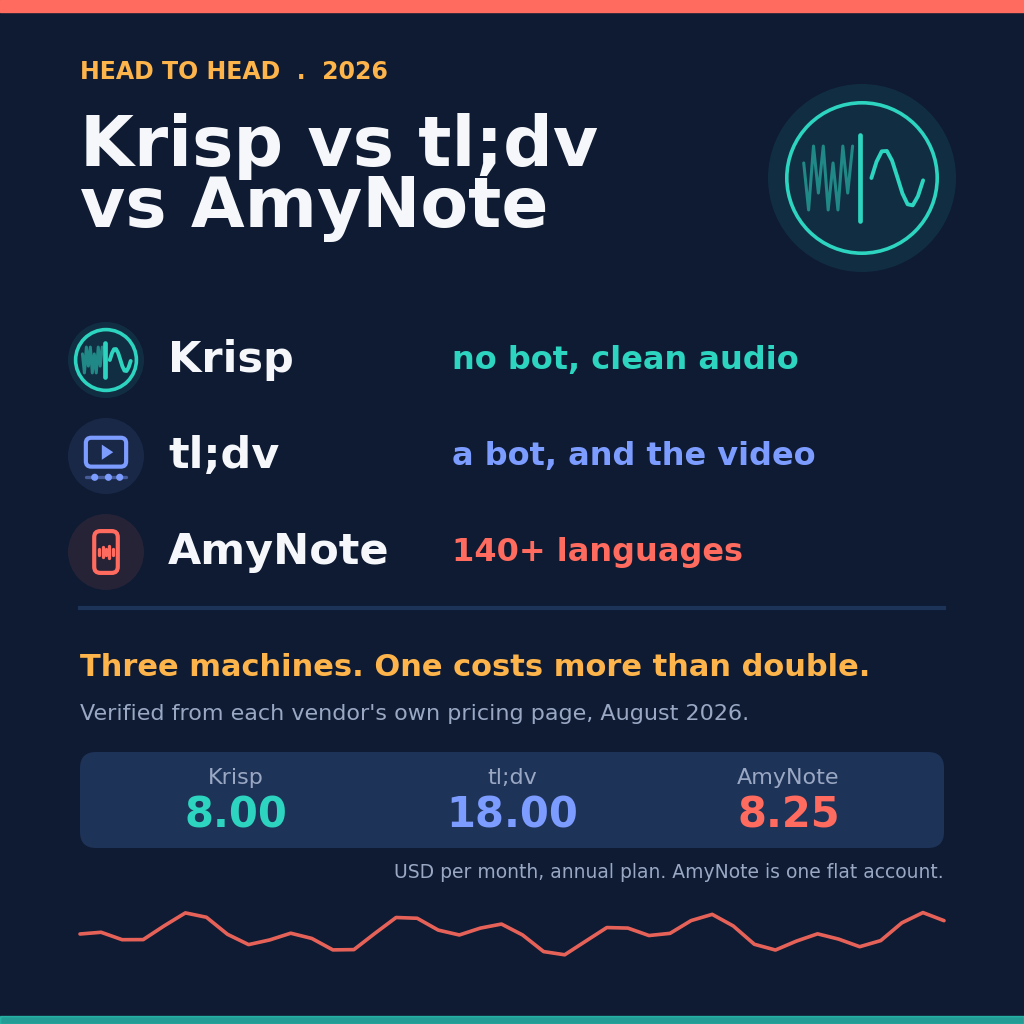
Strengths. AmyNote is an iPhone app that records in-person conversations and calls without hardware or a bot. Its security page lists “Recording & Playback” as “100% offline — no network required”, and saved notes stay on the device. Playback does not depend on a tier, because there is only one: $12.99 weekly, $19.99 monthly or $99 yearly, all features included.
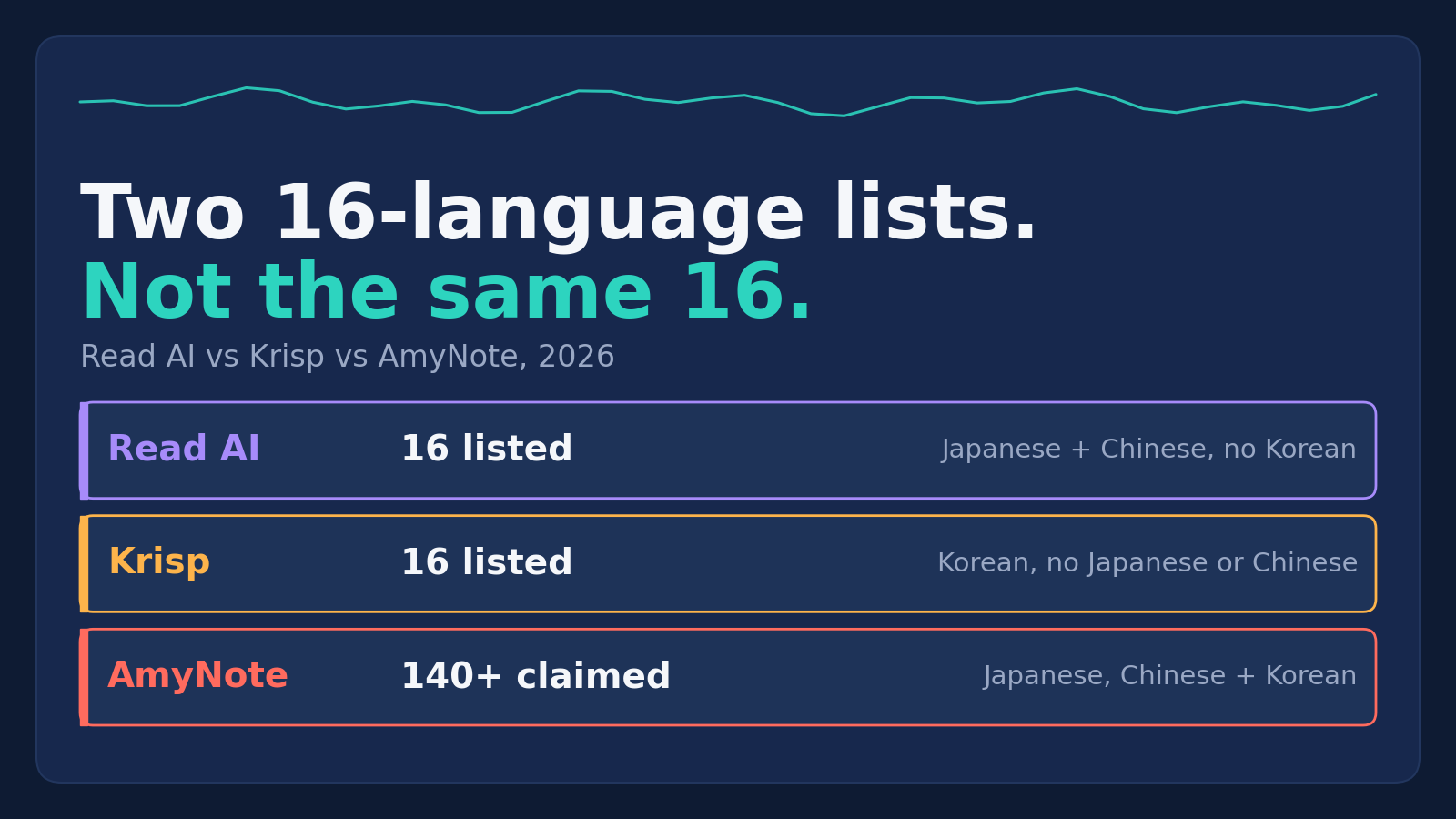
It says it transcribes 140+ languages and translates into 100+, optimized for East Asian languages and Arabic. Its security page names Microsoft Azure and OpenAI for speech recognition and Anthropic’s Claude for analysis, and says “We don’t use your data to train AI models” and “We don’t require an account to use core features.” It scores no attendee.
Weaknesses, stated plainly. AmyNote records audio only. There is no video, so no screen share or faces to replay. It is iOS only, with no Android, Windows or Mac app, while both competitors run everywhere. There is no free tier, only a three-day trial, against two permanent free plans, one of which replays video.
It publishes no retention period. Local-first is not local-only: audio or text sent for transcription or AI may be kept as a processing copy on its cloud infrastructure. It uses TLS in transit and specifically does not call that end-to-end encryption. It holds no SOC 2, ISO 27001, HIPAA or GDPR certification, sells no SSO or SCIM at any price, and has no CRM integration.
Side by Side
| Read AI | tl;dv | AmyNote | |
|---|---|---|---|
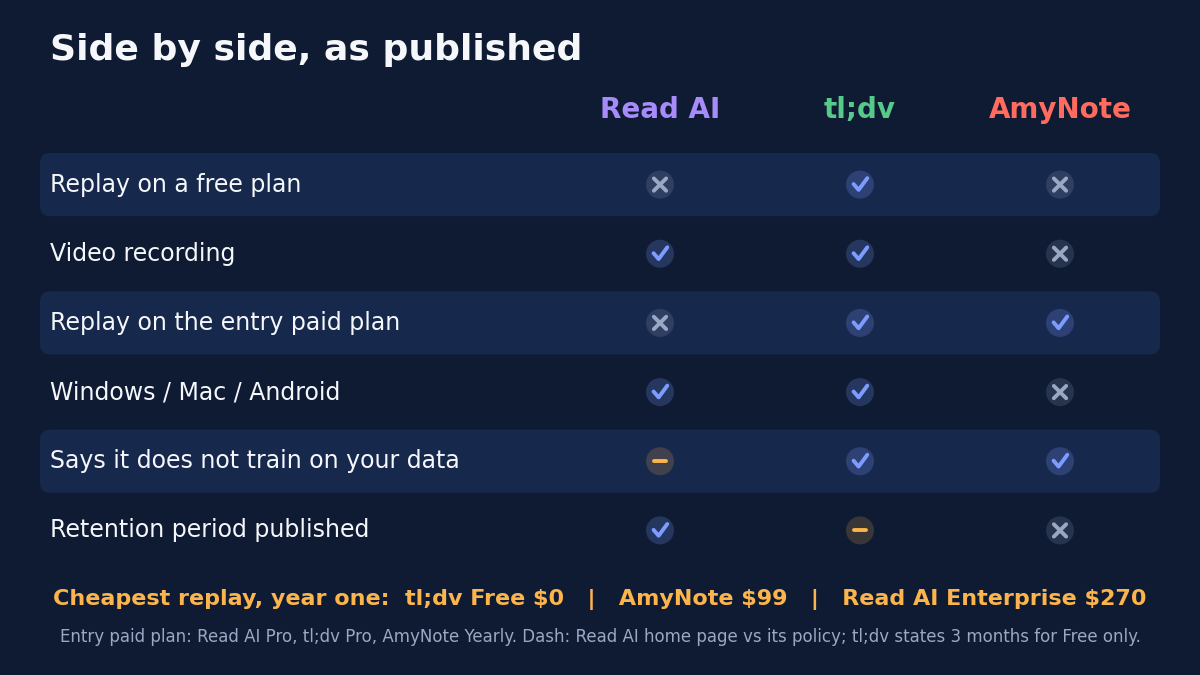
| Replay on the free plan | No | Yes, video | No free plan |
| Cheapest plan with replay | Enterprise, $270/yr | Free, $0 | Yearly, $99 |
| Download the recording | No download row; playback from Enterprise | From Pro | Plays back on the device |
| Published retention | 2-year ceiling | Free up to 3 months; paid custom | None published |
| Video | Yes | Yes | Audio only |
| Platforms | Windows, Mac, iOS, Android | Windows, Mac, iOS, Android | iPhone only |
| Model training | Policy lists it, legitimate interest | Says no | Says no |
How to Check Replay Before You Buy
The lesson reaches past these three products. If the recording itself is why you are paying, a few minutes with the plan table saves a surprise later.
- Find the playback row, not the recording row. “Records every meeting” and “lets you play it back” are separate lines in the table, and they can unlock on different tiers.
- Check retention on your tier specifically. A retention limit on the free plan, or a retention control that only exists at the top tier, decides whether last quarter’s call is still there.
- Check whether you can download. If you cannot, the recording lives only as long as the vendor keeps it and your subscription stays active.
- Replay a real meeting during the trial. Record something, wait a day, and try to find and play back a specific moment. That test is the product you are actually buying.
The Bottom Line
If replay is the reason you record, check the plan table before the feature list. Read AI records on every tier but does not let you replay until Enterprise, so a Pro subscription buys transcripts, not tape. tl;dv lets anyone replay video for free, and the free plan’s clock and missing download button are the price of that.
AmyNote fits a narrower case: conversations captured on an iPhone, replayed offline, with one flat price. It is the wrong choice if you need video, a free plan, Android or a compliance certificate. For everyone else, the question to ask any vendor is the same: when I need the recording in three months, will I still be able to play it?
Originally published as an X Article by @AmyNoteApp.